Shipping takes place within 3-5 business days. If there is a problem with the shipment of the product, we will notify you via the email address you entered when ordering.
Phomemo
Phomemo M220 Label Printer, Barcode Printer, Bluetooth Thermal Label Maker Machine for Barcodes,Name,Address,Clothing Labeling,for Office Home,Compatible with Phones and Some PC Orange
Couldn't load pickup availability
About This
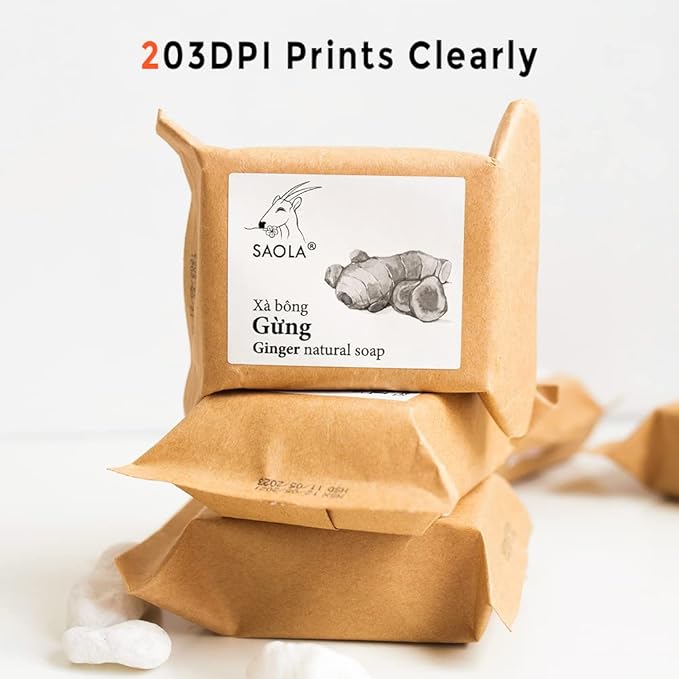
- Bluetooth Label Maker - Never need ink, toner, or ribbon again. Phomemo M220 barcode printer prints using thermal technology, meaning you only need to restock on labels, the thermal label printer come with 100pcs 1.57"x1.18" label tapes.
- Long Battery Life - Phomemo M220 Label Printer Upgrade 2200 mAh battery provides up to 36 rolls of continuous printing, newly added auto-sleep mode, which can reduce power consumption by 25% and extend the use time by 2-3 hours.
- Smartphone App - Phomemo's R&D team create the "print master" APP for you, with a variety of built-in functions. One-click use: text, pictures, barcodes, QR codes, OCR, form, hundreds of icons, and many pre-made templates for commercial and home use, easily to save and find your printing records. Improve your efficiency.
- High Compatibility - Not only Phomemo M220 label maker machine supports IOS, and Android mobile phone by bluetooth connection, but also supports USB connection for MAC and Windows 10. (WARNING: For your better experience, please be sure to watch the software installation tutorial on the page)
- Widespread Use - M220 0.78-3.14 Inch Bluetooth label printer has an extensive variety of uses and creative possibilities. and Enjoy Labeling Anything Anywhere like Small businesses: clothing, crafts, retail, jewelry, eBay, etc. Labeling address, barcode, price, date, ingredients, logos labels for product. Save you a lot of time for handwriting labels, allowing you to focus more on your small businesses.
- Phone and Tablet Start Printing - Step 1: Download the App 'Print Master'. Step 2: Turn on the M220 label maker and your phone's or tablet's Bluetooth. Step 3: Click the 'Printer' icon in the App to search for the M220 portable label printer, connect it via Bluetooth in the App, select the label size, and edit the content to start printing
- Laptop/PC Starts Printing - Step 1: Please check your laptop/PC's operating system (OS) and download and install the correct M220 driver and the 'Labelife' app from the Phomemo website. Step 2: Use the USB data cable to connect the M220 label maker to your computer. Step 3: Select the label size, edit the content, and choose M220 from the printer list
Overview
- Brand : Phomemo
- Connectivity Technology : Bluetooth, USB-Type-C
- Printing Technology : Thermal
- Special Feature : Bluetooth connection, Mobile printing, No ink, no toner, Portable, app can save templates
- Color : Orange
- Model Name : M220-orange
- Printer Output : Monochrome
- Max Printspeed Monochrome : 50 ppm
- Item Weight : 0.47 Kilograms
- Controller Type : iOS, Android, PC
Share

Office Depot Office Supply
Stay organized and productive with reliable Office Depot® office supplies. Designed for everyday use in homes, schools, and workplaces, these essentials combine quality, durability, and affordability.
Versatile supplies for office, school, or home organization
From notepads and pens to filing systems and desk accessories, Office Depot® provides the tools you need to keep your work flowing smoothly.
Blog posts
View all-
📽️ Presenting Anywhere: Essential Portable Proj...
Hello Mobile Presenters and Office Depot Customers! For professionals who frequently present to clients, travel between offices, or use huddle rooms without fixed equipment, a portable projector and reliable presentation...
📽️ Presenting Anywhere: Essential Portable Proj...
Hello Mobile Presenters and Office Depot Customers! For professionals who frequently present to clients, travel between offices, or use huddle rooms without fixed equipment, a portable projector and reliable presentation...
-
🔨 Power Punch: Choosing Heavy-Duty Tools for Ma...
Hello Paper Processors and Office Depot Customers! In departments like accounting, HR, or legal, standard office tools simply can't handle the sheer volume of paper. Heavy-duty staplers and hole punches...
🔨 Power Punch: Choosing Heavy-Duty Tools for Ma...
Hello Paper Processors and Office Depot Customers! In departments like accounting, HR, or legal, standard office tools simply can't handle the sheer volume of paper. Heavy-duty staplers and hole punches...
-
📦 Smooth Shipping: Essential Supplies for an Ef...
Hello Logistics Leaders and Office Depot Customers! Even in the digital age, businesses rely heavily on shipping documents, samples, and products. An efficient mailroom or shipping station requires a dedicated...
📦 Smooth Shipping: Essential Supplies for an Ef...
Hello Logistics Leaders and Office Depot Customers! Even in the digital age, businesses rely heavily on shipping documents, samples, and products. An efficient mailroom or shipping station requires a dedicated...